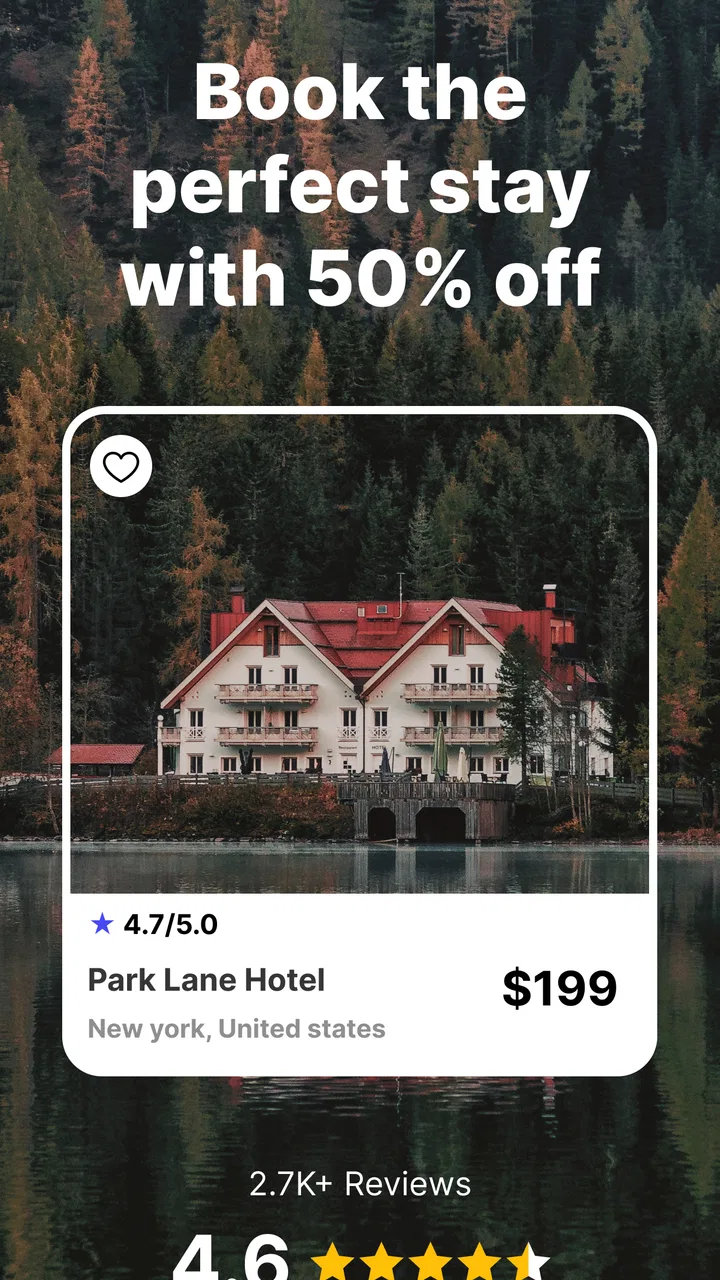
Last Minute Hotel Booking App
- 3.4
- Rating
- 100.00K
- Installs
- Free
- Price

 Analysis by App-foxy
Finding a room at short notice sounds simple until a search returns limited choices, a result takes too long to load, or the final booking step feels less clear than expected. I tested Last Minute Hotel Booking App with that practical situation in mind: not as a replacement for every travel tool, but as a focused way to look for a hotel or vacation rental when plans are already close.
The app belongs to the Travel & Local category and is free to install. Its developer is Last minute hotels, and the basic idea is easy to understand: search for accommodation, compare the available options, and move toward a last-minute stay without starting with a broad travel-planning suite. That narrow purpose is its main appeal, but it also means the experience depends heavily on your dates, destination, connection, and how much flexibility you have.
In my experience, the best way to judge it is to treat it as a quick discovery tool rather than a guarantee of a bargain. It can help when I already know where I want to stay and need to scan possibilities quickly. It is less convincing when I need a detailed itinerary, extensive property research, or a carefully coordinated trip with several separate bookings.
You May Also Like

 Blood Strike: 2.5 Anniversary
Blood Strike’s Loadouts Turn Every Drop Into a Tactical Gamble
A close look at Blood Strike’s custom loadouts: how fast access to signature weapons reshapes its battle royale rhythm, rewards preparation, and narrows the gap between fights.

 Pandora - Music & Podcasts
Pandora’s Music Is Easy to Start, but Harder to Recover
Pandora’s strength is its low-effort path from a seed to a station. Its weak spot is how much confidence it asks you to place in connection, setup, and quiet recovery.

 8 Ball Pool
 Is Built on Rivalries, Rematches, and Routine
A close look at the rivalries, rematches, shared routines, and unanswered safety questions that turn a quick pool match into a persistent mobile community.

 Samsung Music
’s Quiet Strength Is Playing What You Already Own
Its reach comes less from spectacle than from dependable access to a personal library. That simplicity is both the app’s strongest retention engine and its ceiling.

 AccuWeather: Weather Radar
AccuWeather Review: A Quick, Clear Forecast for Everyday Decisions
For everyday plans, the best forecast is the one you can understand quickly. AccuWeather makes rain timing, radar, and local conditions easy to act on, with a few trade-offs.

 Hill Climb Racing
Why Hill Climb Racing Still Turns Crashes Into One More Run
A tiny car, a bumpy hill and one more upgrade: Hill Climb Racing keeps resurfacing because its simple chaos makes every near-miss feel personal.
More From Our News Desk



What using the app is really like when time matters
When time is tight, I find it helps to decide what matters most before opening a search: the area I need, the latest arrival that works, and how far I can reasonably travel. That keeps urgency from turning into a rushed choice based only on the first price I see. With that groundwork in place, the next question is where this focused search fits among the usual ways of booking a room.
The first points where a search can feel stuck
The most obvious friction appears before the app can be useful: the search has to match a real travel need. A last-minute hotel app is naturally sensitive to the destination and dates entered. If I type a vague location, choose the wrong night, or search for a place where availability is already tight, the result may feel disappointing even though the app is functioning normally.
I would begin with a precise destination rather than a broad region. For example, searching for the town or district where I actually need to sleep is more useful than entering an entire metropolitan area when transport time matters. I would also check the arrival and departure dates before judging the selection. A single mistaken night can make a promising search appear empty or unnecessarily expensive.
Another common sticking point is expecting the first screen to answer every question. A short list of rooms is only a starting point. I still need to inspect the property name, location, room conditions, and the final booking details before treating an option as suitable. The app is helpful for narrowing the field, but it should not replace a careful check of what I am actually reserving.
Short-notice searches also create a psychological trap. I may open the app expecting a dramatic discount simply because the booking is late. In reality, a late search can produce either attractive opportunities or very limited availability. The app can expose what is available, but it cannot create rooms in a full property or make a busy destination suddenly flexible.
Small setup checks that prevent avoidable trouble
Before relying on the results, I would make a few simple checks. First, I would confirm that the device meets the app’s minimum requirement of Android 8.0. The current version is 1.10.1, so keeping the application updated where possible is sensible, especially when a search or booking screen behaves unusually.
Second, I would make sure the phone has a stable internet connection. Accommodation searches are especially frustrating on an unreliable connection because a partial result can look like a lack of availability. If a page stops loading, I would wait briefly, retry once, and then switch between a dependable Wi-Fi connection and mobile data if both are available.
Third, I would prepare the details I am likely to need before starting: exact dates, the number of guests, the preferred area, and a realistic idea of how far I am willing to travel from the destination. This sounds basic, but it changes the quality of the search. Last-minute browsing becomes much faster when I am comparing suitable rooms instead of repeatedly correcting the search.
The app is rated for Everyone, which makes it approachable for a broad audience. That does not mean every booking decision is equally simple. A family, a solo traveler, and someone arriving late at night may all need different things from the same room. I would keep those practical requirements in mind while reviewing results rather than selecting only by the headline price.
A recovery routine when results do not look right
When the first search is unhelpful, I would avoid changing everything at once. I would keep the destination fixed and adjust one factor, such as the dates or the search area. This makes it easier to understand whether the problem came from the destination, the timing, or an overly narrow search.
If the app appears frozen, I would close and reopen it, then repeat the search carefully. I would also check whether the phone’s connection is working in another app. That simple comparison helps separate an application problem from a wider network issue. If other services are also slow, restarting the connection is more sensible than repeatedly tapping the search button.
A useful recovery habit is to record a promising option before continuing to browse. I would note the property name, room type, dates, and important conditions in a temporary note. That prevents confusion if the results refresh or if I need to compare the same option later. It is particularly valuable during a rushed search, when several similar rooms can blur together.
I would also repeat a search after correcting an obvious input mistake instead of assuming the earlier results are still relevant. Changing the date, guest count, or destination can alter the entire list. The most reliable workflow is deliberate: enter the details, inspect the results, open the most suitable options, and only then move toward booking.
How I would use it in an everyday travel situation
Imagine I am away for work and a meeting has been moved, leaving me in town for one unexpected night. I would open the app, enter the city, select the new night, and search with a clear maximum distance in mind. I would first look for a practical location, then compare the available rooms rather than choosing the first result shown.
At that point, I would check whether the room suits the actual situation. If I am arriving late, a central location or a nearby property may be more useful than a slightly cheaper room far away. If I am carrying luggage, the distance from the station or meeting venue matters. If I am traveling with another person, the guest details and room arrangement deserve a second look before I continue.
The app works best in this kind of focused scenario. I am not asking it to design the entire trip. I already know the destination and need a quick way to explore accommodation. Its value comes from reducing the time spent opening unrelated travel sections and concentrating on the room search itself.
For a spontaneous weekend, I would use a similar method but allow more flexibility. I might search a nearby district if the main area has little available accommodation. I would compare the practical cost of getting there with the room price, because a cheaper room can lose its advantage if transport becomes difficult or inconvenient.
What to check before treating a result as a good deal
A low-looking price is not enough for me to call a result a bargain. I would read the complete room information shown during the booking process and look for details that affect the real value. The important question is not simply “How cheap is this?” but “Does this room solve my travel problem without an unpleasant surprise?”
I would pay particular attention to the selected dates and guest count after opening a result. These are easy to overlook when moving quickly. I would also compare location and room suitability, because a result that appears attractive in a list may not fit the purpose of the trip once I consider arrival time, luggage, or the need to be near a particular address.
Another practical tip is to avoid treating a refreshed list as a promise that the same option will remain available. Last-minute accommodation changes quickly. If a result is genuinely suitable, I would review its details promptly and keep my notes organized. At the same time, I would not rush through the final confirmation simply because the search is time-sensitive.
This is where the app’s focused design can be both useful and limiting. It encourages quick discovery, but the responsibility for checking the decision remains with me. Travelers who prefer to read extensive editorial guidance or compare a large set of trip services in one place may feel more comfortable with a broader booking platform.
When the problem may be outside the app
Not every disappointing search is caused by the application. Hotel availability is affected by the destination, the selected dates, the number of guests, and how close the stay is. If the search produces few choices, I would test a nearby area or a different date before concluding that the app is broken.
Connection problems can create a similar misunderstanding. If images, property information, or booking screens load slowly, I would check the connection and try again rather than repeatedly changing the search. A busy network, weak signal, or temporary service interruption can make a normal search feel unreliable.
The phone itself can also be part of the problem. If the device is running an older Android release, the app may not be a suitable fit because Android 8.0 is the minimum operating system requirement. Updating the app and operating system when the device supports it is a reasonable first step, but I would not assume that an update can solve every issue related to network access or accommodation availability.
There is also a difference between an app issue and a property-specific concern. If one accommodation has unclear information or a result changes during the process, I would compare another property and review the booking details carefully. That is a reason to slow down and verify the choice, not automatically proof that the entire search tool is unusable.
How it compares with broader travel alternatives
Compared with a general hotel marketplace, this app feels more direct because its identity is centered on last-minute accommodation. That can be an advantage when I am already in a hurry and do not want to move through flights, attractions, maps, or a full itinerary builder. The trade-off is that a broader service may offer a more familiar comparison process or a wider set of trip-planning tools.
Compared with searching through a hotel’s own application or website, this app is more useful when I am open to several properties. A hotel-specific service can be better when I have already chosen a particular chain or want to manage an existing reservation there. This app makes more sense earlier, while I am still deciding where to stay.
Compared with ordinary web searching, a dedicated app gives me a more focused place to repeat accommodation searches. However, I would still use common sense and compare the actual booking information before committing. The app is not automatically the best choice for travelers who need loyalty programs, complex multi-room arrangements, or a complete record of every part of a long trip.
That distinction matters because the application’s simplicity is not the same as universal coverage. I see it as a practical option for a narrow but common problem: finding a place to stay soon. If my trip involves several destinations, detailed planning, or unusual accommodation requirements, I would probably pair it with another travel tool rather than depend on it alone.
Who will benefit most, and who should skip it
I would recommend trying it if you often make short-notice trips, are comfortable comparing a smaller set of immediate options, and want a free travel app with a clear accommodation focus. It is also a reasonable fit for someone who already knows the destination and wants to avoid the clutter of a full travel-planning application.
I would be more cautious if you need a highly structured booking experience with extensive trip management. Travelers who plan months ahead, require several coordinated reservations, or need detailed filters and policies may prefer a larger platform built around broader comparison. The same applies if you are unwilling to consider nearby areas when the exact destination has limited availability.
The average rating is 3.4 from around 1.2 thousand ratings, while the app has passed 100 thousand installs. I read those figures as a sign of a useful but not universally smooth experience: enough adoption to make it worth testing, but not a reason to assume every search will feel effortless. My own view is that expectations matter more here than enthusiasm. It should be approached as a focused helper, not a magic solution to a difficult booking.
My practical verdict after using it
Last Minute Hotel Booking App is most convincing when I use it with a specific destination, realistic dates, and a willingness to inspect the details myself. The free price makes it easy to keep available for emergencies or spontaneous trips, and the Everyone age rating makes it broadly accessible. The developer, Last minute hotels, has kept the concept focused on the accommodation search rather than turning it into an overloaded travel suite.
Its weaknesses are tied to that same focus. A narrow search can produce disappointing results, a weak connection can make the workflow feel uncertain, and last-minute availability is naturally unpredictable. None of those issues should be ignored. I would prepare the search carefully, retry methodically when something fails, and compare the practical suitability of a room instead of chasing the first apparent discount.
The app was released on December 21, 2020, and its current version is 1.10.1. For me, those details matter less than the everyday workflow: enter accurate information, check the result, save the details I may need, and confirm only when the room fits the trip. That process keeps the app useful without asking it to do more than it is designed to do.
My recommendation is conditional but positive: keep it in mind for an urgent overnight stay or a flexible weekend search, especially when you want a free, accommodation-focused tool. I would choose a broader alternative for complex travel planning, and I would never skip the final details check simply because the booking is last minute. Used with that level of care, it can save time at the moment when a travel search is most stressful.
FAQs for Last Minute Hotel Booking App
01What features does the Last Minute Hotel Booking App offer?
The Last Minute Hotel Booking App provides an extensive range of features designed to make booking accommodations seamless and stress-free. Users can access real-time availability, exclusive last-minute deals, and location-based search options. The app also offers user reviews, secure payment methods, and 24/7 customer support to enhance the booking experience.
02Is the Last Minute Hotel Booking App free to use, or are there any hidden fees?
The app is free to download and use. However, while browsing and booking, users may encounter service fees imposed by hotels or third-party providers. These fees are transparently displayed during the booking process, ensuring there are no hidden charges when confirming your reservation.
03How reliable are the hotel deals offered by the app?
The app partners with reputable hotels and ensures that all deals are verified and updated in real-time. While last-minute deals can offer significant savings, prices are subject to change based on availability and demand. Users are encouraged to book promptly to secure the best rates.
04Can I cancel or modify my reservation through the app?
Yes, the app provides options to cancel or modify bookings. However, the flexibility of these options depends on the hotel's cancellation policy, which is clearly outlined during the booking process. Some reservations may be non-refundable, so it's crucial to review these terms before confirming a booking.
05What should I do if I encounter issues with my booking?
If you face any difficulties with your booking, the app offers 24/7 customer support to assist you. You can contact support directly through the app via chat, email, or phone. The support team is dedicated to resolving issues swiftly to ensure a smooth travel experience.
Pros
- Wide selection of hotel options.
- User-friendly interface for quick booking.
- Exclusive last-minute deals available.
- Secure payment options for peace of mind.
- 24/7 customer support via chat.
Cons
- Limited cancellation policies.
- Occasional app crashes reported.
- Deals may vary by location.
- Requires internet for full functionality.
- Some features locked behind premium.

Last Minute Hotel Booking App
Gallery